Blog

Pneumatic Zero‑Point Plates: Enhancing Automation and Quick Change in Manufacturing

Discover how NextasTech' patented Pneumatic Zero‑Point Plates revolutionize automation by delivering lightning‑fast quick changes, 40 kN clamping force and 0.005 mm repeat positioning accuracy, enabling 24/7 lights‑out production and a 200% efficiency boost.

Published on August 12, 20255 min read

Patented Ball Lock Design: Strong Clamping for Continuous Automation

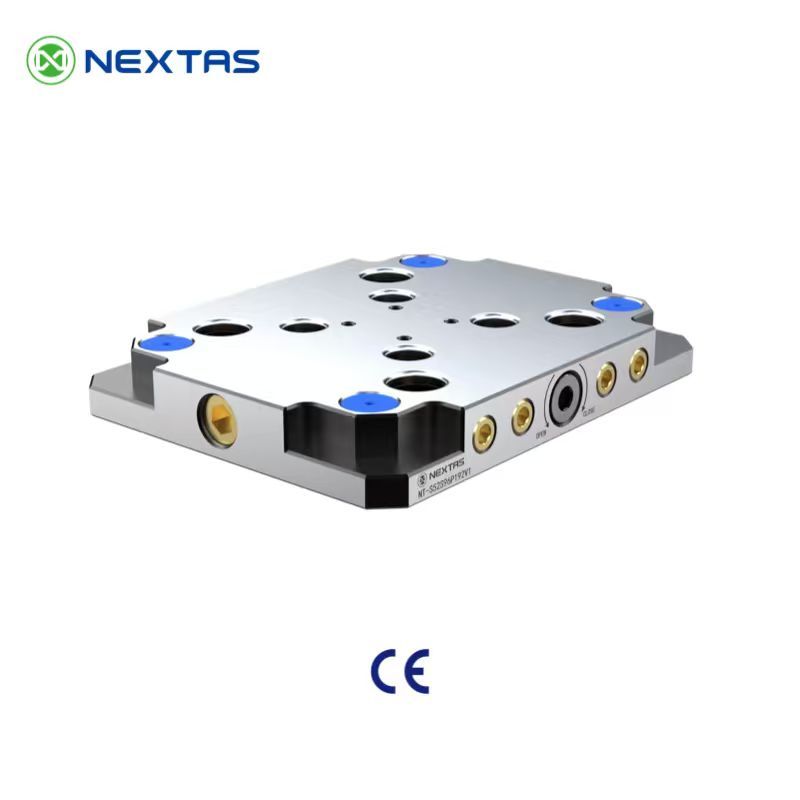
The key part of NextasTech' Pneumatic Zero‑Point Plate is its exclusive ball lock technology. This patented design produces a multiplied pneumatic clamping force of up to 40 kN, keeping workpieces firmly in place throughout the entire automation process. Whether handling lightweight parts or heavy components over 800 kg, it ensures stable clamping even during high‑intensity machining, enabling 24‑hour non‑stop automation.

No more slips or reworks ?this strong clamping force makes the Pneumatic Zero‑Point Plate the backbone of reliable and continuous automation lines.

Affordable and Practical: Perfect for Automation Upgrades

NextasTech knows that automation shouldn't break the bank. Our Pneumatic Zero‑Point Plate balances outstanding performance with a reasonable price, making it easy for businesses of all sizes to adopt automation.

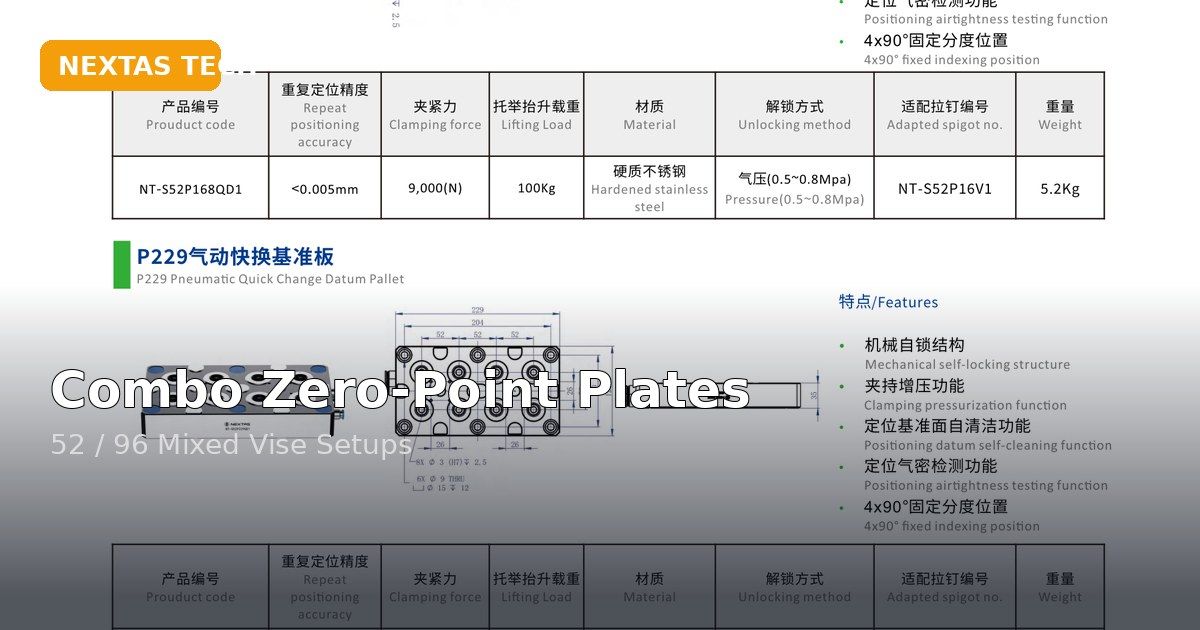
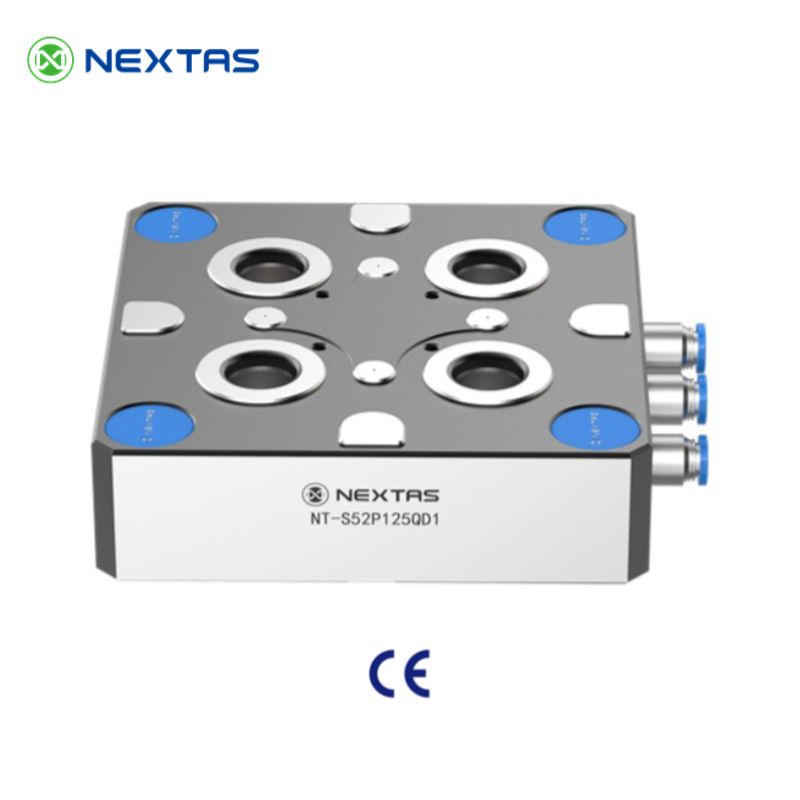
Its greatest advantage is achieving extremely fast quick change. Setup and changeover times are cut from hours to seconds, dramatically reducing machine downtime and increasing productivity. The plate is compatible with standard 52 mm and 96 mm spigot spacing, so it can be integrated into existing fixtures without expensive retrofits ?a smart choice for smooth automation upgrades.

Ultra‑Precision (?.005 mm): Foundation of Smooth Quick Change and Automation

In automation, quick change is only effective if precision remains consistent. The Pneumatic Zero‑Point Plate offers a repeat positioning accuracy of ?.005 mm, so changing fixtures or workpieces takes just seconds without the need for realignment.

Built‑in air‑blast channels automatically clean the locating cones, ensuring that the 0.005 mm accuracy is maintained even in harsh factory environments. This reliability is vital for unattended automation and lights‑out production, where consistent results are key.

Case Study: Transforming Efficiency for Lang'an Precision

As showcased in the video, NextasTech partnered with Lang'an Precision ?a manufacturer specializing in high‑precision components ?to design and implement a single‑machine automation solution. By integrating our Pneumatic Zero‑Point Plates with self‑centering vises, the system achieved a transformative impact: production efficiency surged by over 200%.

Lang'an Precision previously faced bottlenecks in manual fixture changes, which took up to two hours per shift and led to inconsistent positioning. With the NextasTech solution, quick changes between workpieces were completed in seconds, while the 0.005 mm repeat positioning accuracy eliminated rework. The seamless coordination between the pneumatic zero‑point plates (ensuring stable clamping) and self‑centering vises (guaranteeing uniform workpiece alignment) enabled 24‑hour uninterrupted production.

“The upgrade has revolutionized our workflow,?noted a production manager at Lang'an Precision. “We've cut downtime by 90% and scaled output without adding extra shifts ?a result that exceeded our expectations.?This success has solidified their trust in NextasTech, with plans to expand the solution to other production lines.

Driving Automation in Various Industries with Quick Change

The Pneumatic Zero‑Point Plate is more than just a tool ?it's the core of efficient automation and excels in several key scenarios:

  • Automated Production Cells: As the heart of flexible manufacturing systems, it allows robots to handle quick changes of fixtures, supporting 24‑hour non‑stop automation.
  • 5‑Axis Machining: It raises workpieces to provide unobstructed tool access, reducing setup times and improving automation efficiency.
  • Inspection Workflows: Compatible with CMMs, it enables parts to move from machining to inspection without re‑clamping, eliminating errors in automated quality checks.

In a world where automation and quick change determine competitiveness, NextasTech' Pneumatic Zero‑Point Plate stands out. With its patented technology, affordability and precision engineering, it helps manufacturers maximize efficiency, reduce costs and stay ahead in the automation race.


Comparison, Selection & Cost Guide (Quick Tables)

Use the quick tables below to choose the right workholding setup for jobs like “Pneumatic Zero‑Point Plates: Enhancing Automation and Quick Change in Manufacturing”. We focus on changeover time, repeatability, automation readiness, and total cost—so you can make a confident choice fast.

Quick comparison: common workholding options

OptionBest forStrengthsWatch-outsTypical changeover
Zero-point system / zero-point clamping plateFrequent part changes, multi-part families, modular setupsFast repeatable locating, scalable, automation-readyNeeds clean interfaces; plan for chip control30–120 sec
Pneumatic Zero Point Plate (quick‑swap base)Fast pallet swaps + automation‑ready loadingQuick changeovers, repeatable locating, easy integrationKeep interfaces clean; confirm air routing + safety20–60 sec
Pneumatic viseHigh mix + unattended runs where cycle time mattersStable clamping force, easy automation, consistent loadingAir quality + pressure stability; safety interlocks1–3 min
Self-centering viseSymmetric parts, 5-axis access, quick centeringCenters fast, reduces setup errors, good for 5-axisJaw travel limits; verify part envelope1–5 min
Hydraulic fixtureHigh-volume or high-clamp-force machiningStrong & stable, great for tight tolerancesHigher upfront cost; maintenance & leak checks5–20 min
Custom dedicated fixture / jigOne part, very stable process, repeat productionMax stability, lowest unit cost at scaleSlow to change; redesign needed for new parts10–60 min
Pallet changerParallel setup + spindle utilization gainsSetup off-machine, better OEE, easier lights-outNeeds process discipline + pallet standardsVaries (2–10 min off-machine)
FMS / pallet pool (automation)Many SKUs + long unattended windowsBest throughput + scheduling flexibilityHighest system complexity; needs planningN/A (system-level)

Fast selection: match your scenario

Your scenarioRecommended setupNotes
Want quick pallet swaps for lights‑out automationPneumatic Zero Point Plate + standardized palletsDefine one stud/pallet pattern; add chip covers + air blast.
1–10 pcs, frequent changeovers, < 0.02 mm targetsZero-point system + modular baseBuild a “standardized base” and swap top tooling.
10–200 pcs, operator present, mixed geometriesSelf-centering vise or pneumatic vise + soft jawsAdd quick jaw change + pre-set stops.
200+ pcs, high clamp force, stable part familyHydraulic fixture or dedicated fixtureOptimize for cycle time + tool access.
Lights-out / unmanned shift (2–8+ hours)Pneumatic vise + pallet changer or FMSPrioritize sensing, chip evacuation, and fail-safe clamping.

What affects price (and how to control it)

Cost driverWhy it changes priceHow to reduce cost
Pallet inventory + stud kitsMore pallets/studs increases hardware cost but cuts downtimeStart with 2–4 pallets; expand as OEE improves.
Repeatability requirement (e.g., ≤0.01 mm)Tighter repeatability needs higher precision interfaces and QCStandardize datums; use proven modules; avoid over-spec.
Changeover frequencyMore swaps reward quick-change systems (ROI grows fast)Measure setup time; prioritize the biggest bottleneck.
Automation level (sensors, interlocks, palletization)Adds hardware + integration timeStart with one cell; reuse components across machines.
Workpiece size & materialLarge/heavy parts need stronger clamping + bigger basesUse modular plates; right-size the fixture footprint.
Engineering time (custom vs modular)Custom design drives NRE costPrefer modular stacks; keep custom parts minimal.

Common mistakes (and quick fixes)

MistakeSymptomFix
Mixing stud standardsPoor repeatability, unexpected mis‑locatingStandardize one pattern; label pallets clearly.
Skipping cleaning routineDrift, “mystery” tolerance issuesUse covers + air blast + quick wipe checklist.
Skipping chip control on locating surfacesRepeatability drifts; “mystery” setup errorsAdd air blast, covers, and a cleaning routine.
Over-clamping thin partsWarping, chatter, tolerance issuesUse proper jaw support + controlled clamping force.
No standard datum / pallet standardEvery setup becomes a one-offDefine a shop standard (datums, pallet, bolt pattern).
Choosing by lowest price onlyHigher labor cost + downtimeEvaluate total cost: labor, scrap, changeover time.

Want a recommendation for your parts? Send us your machine model, material, and tolerance target — we’ll suggest a practical setup.

Frequently Asked Questions

What is the primary advantage of a pneumatic zero-point system over a mechanical or hydraulic one for automation?

Pneumatic systems offer a key advantage in speed and simplicity for automation. They actuate almost instantly (ideal for quick changes), are powered by standard shop air (which is readily available), and are generally cleaner and require less maintenance than hydraulic systems, making them perfect for high-cycle, 24/7 automated cells.

How does the "ball lock" mechanism achieve 40 kN of force pneumatically?

Our patented design uses a form-locking mechanism. The pneumatic pressure isn't holding the force directly; it's used to engage a system of precision balls or wedges that create a powerful, mechanical lock. This "multiplied" force ensures that even if air pressure is lost, the plate remains securely clamped, providing extreme rigidity and safety.

Can this pneumatic plate be integrated with a robot controller?

Yes, it's designed for it. The plate includes ports for air actuation (clamping/unclamping) and can be equipped with sensors. These sensors provide a digital "clamped" or "unclamped" signal back to the robot or PLC, ensuring the automation sequence only proceeds when the pallet is safely and correctly locked.

What maintenance is required for the pneumatic zero-point plate?

Maintenance is minimal, which is a major benefit. The built-in air-blast self-cleaning function handles most debris. We recommend periodic visual inspection and cleaning, and ensuring the air supply is clean and dry. The hardened steel components are designed for millions of cycles with minimal wear.

Ready to Transform Your Automation Efficiency?

Don't let manual fixture changes slow down your production. Choose NextasTech's Pneumatic Zero‑Point Plate for lightning‑fast quick changes, exceptional clamping force and precision, and unlock around-the-clock lights-out automation.

Request a Technical Consultation —
Request a Technical Consultation →